16/10/2020 Exporting crates into unreal
- 2574267
- Oct 16, 2020
- 1 min read
To export a crate into unreal engine, first you will have to click 'import' and find your files. These include finding your model and textures.

once you have your models and textures, double click on the material with the green banner.
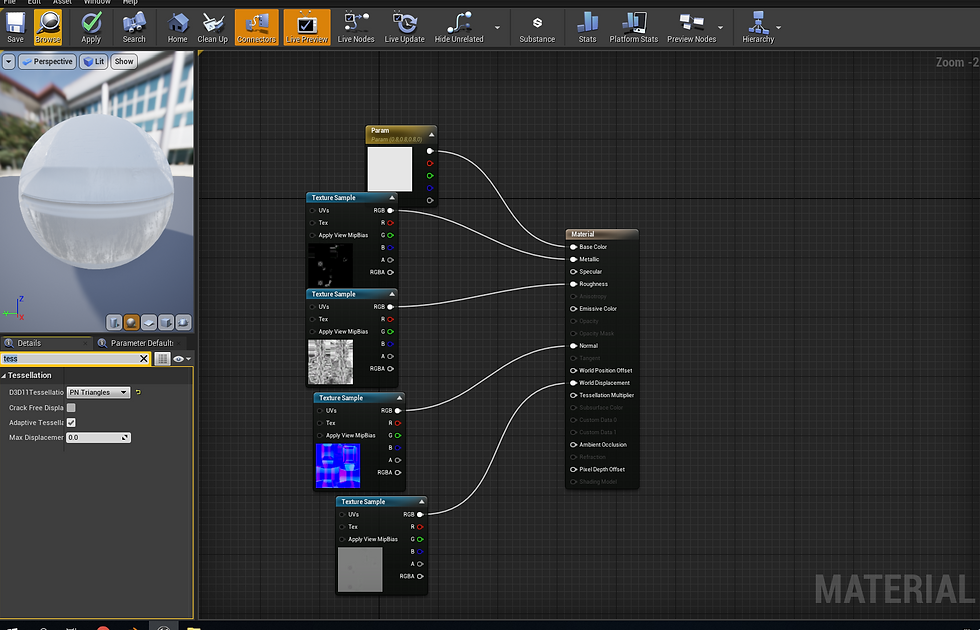
On this screen, drop in each texture that you imported earlier, these include roughness, metallic etc. connect them to their right bits which should be named. Then finally click 'apply' at the top left.
Next you need to make a blueprint, to do this right click on the content browser bar and insert a blueprint.

When you get this screen, click add component in the top left and add a skeletal mesh and a collision box, then make sure your model is in line with the collision box.

Comments